

Your Trader
inside the Web App.
GiBi FUT Tools adds to the EA Sports FC Ultimate Team Web App prices on every card, a Trader with snipes and bids, market analysis and forecast, SBCs, Album and quick selling. No external programs: everything in the side menu.
Free · GiBi account · Version 2.61.3
12
areas of tools
2
languages, Italian and English
0
ads and tracking
1
permission requested
Everything it does
Twelve areas of tools, from the price chip on cards to the forecast from the price history. Each has its own guide.
Prices on cards
The reference price on every card, on every page of the Web App.
Trader
Saved filters, buy-now snipes or bids on expiring auctions, automatic resale.
Speed and protections
Search and pause presets that behave like a person, session limits, safety stops.
Sell, Bulk sell and profit per row
List at the right price in one click, one card or all of them.
Market analysis (Scout)
Measures the price cards really sell at and proposes flips ready for the Trader.
Forecast from the price history
Rebounds, daily cycles and rises from the hourly price history of every card.
Album and FUT Gallery
The FUT Gallery rebuilt inside the Web App: collection, plans for every grade, best lineup.
SBCs and token challenges
Solves squads with your cards, buys the concept players from the Trader, submits token challenges.
Bronze Pack Method
Buys bronze packs, opens them, lists what is worth it and sends the rest to the club.
Pack value and transfer list recap
What a pack is worth before you open it, and how your market is going today.
Automations and purchase log
Cleanup of lost auctions and sold items, relisting, a log with expected and real profit.
Shortcuts and club filters
Search by hand without a mouse and find the sellable cards in your club at once.
Account, shared archive and privacy
A free GiBi account with its activation code, a shared price archive, no ads and no tracking.
What it looks like
The extension’s pages, inside the Web App, with test data.
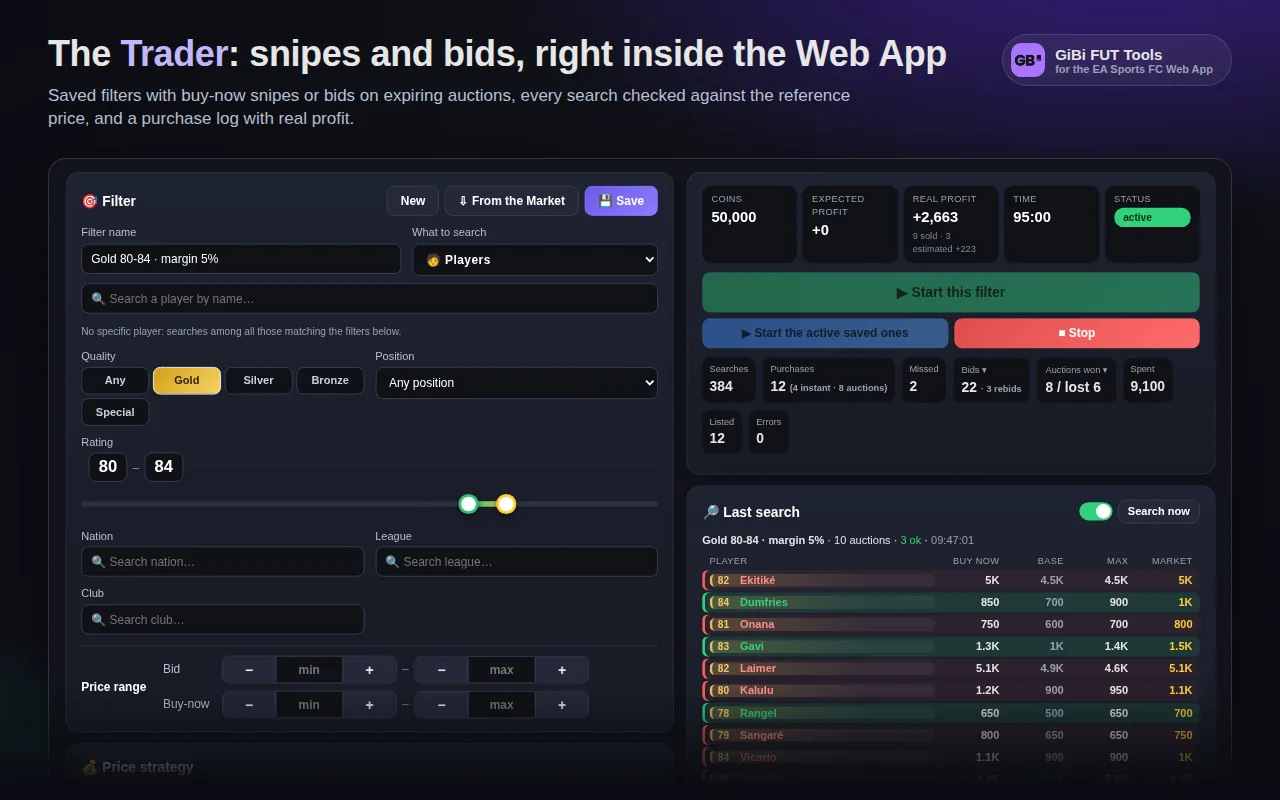
The Trader
Saved filters with snipes or bids, live dashboard, last search with every player found.
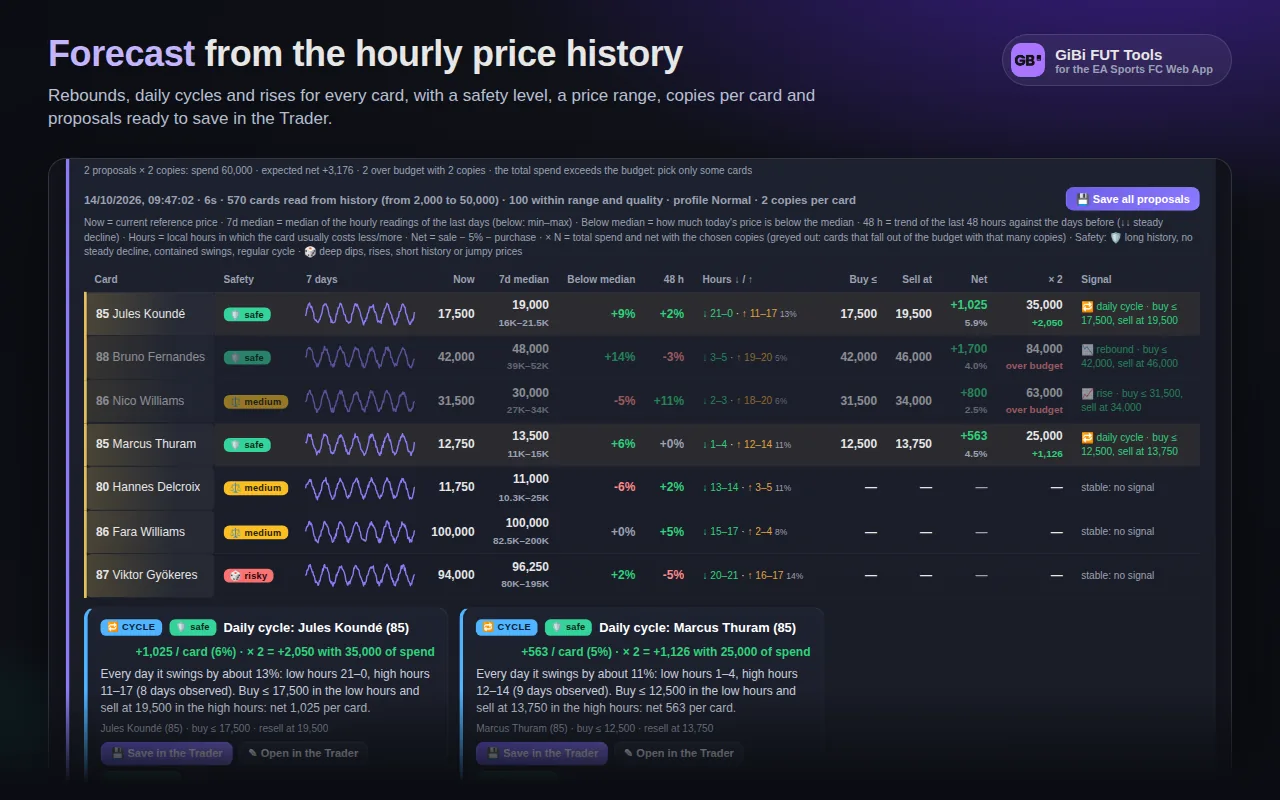
The Forecast
Rebounds, daily cycles and rises from the hourly history, with a safety level for every signal.
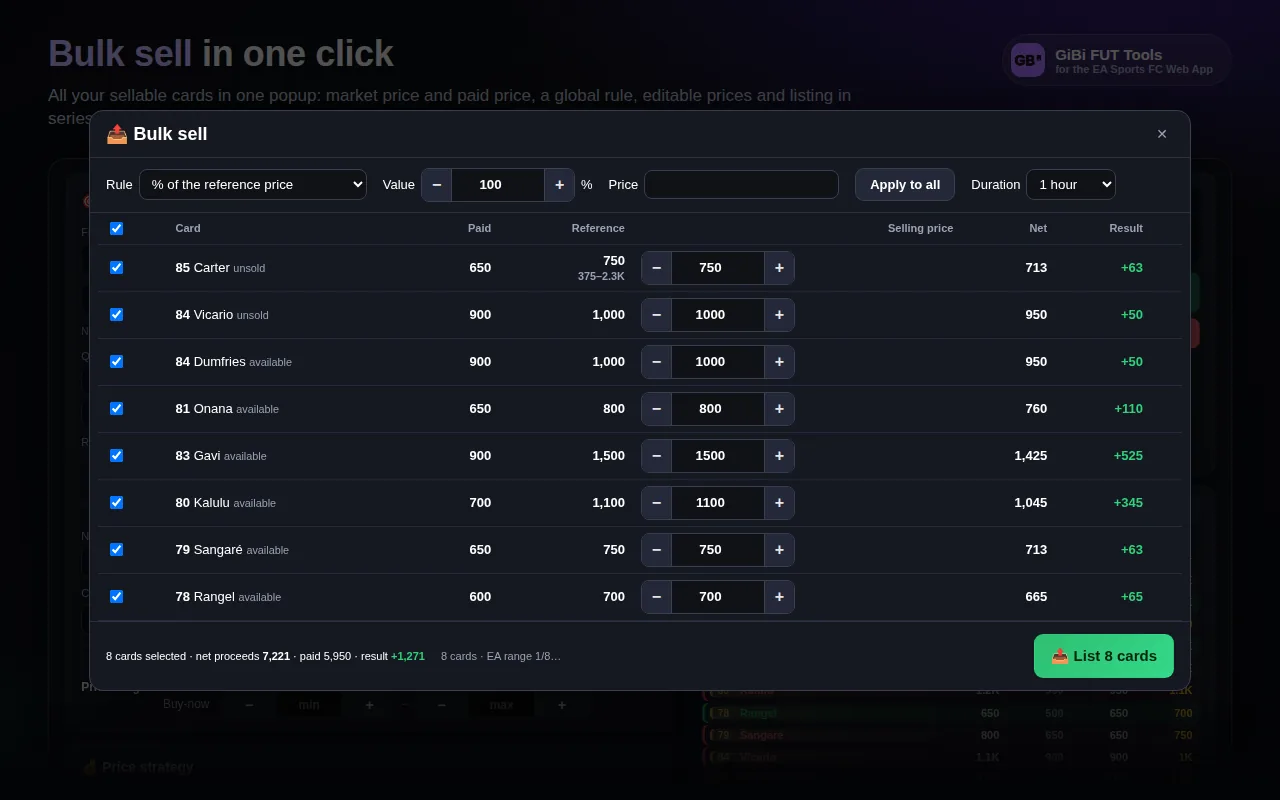
Bulk sell
Every sellable card in one popup, a global rule and prices editable per row.
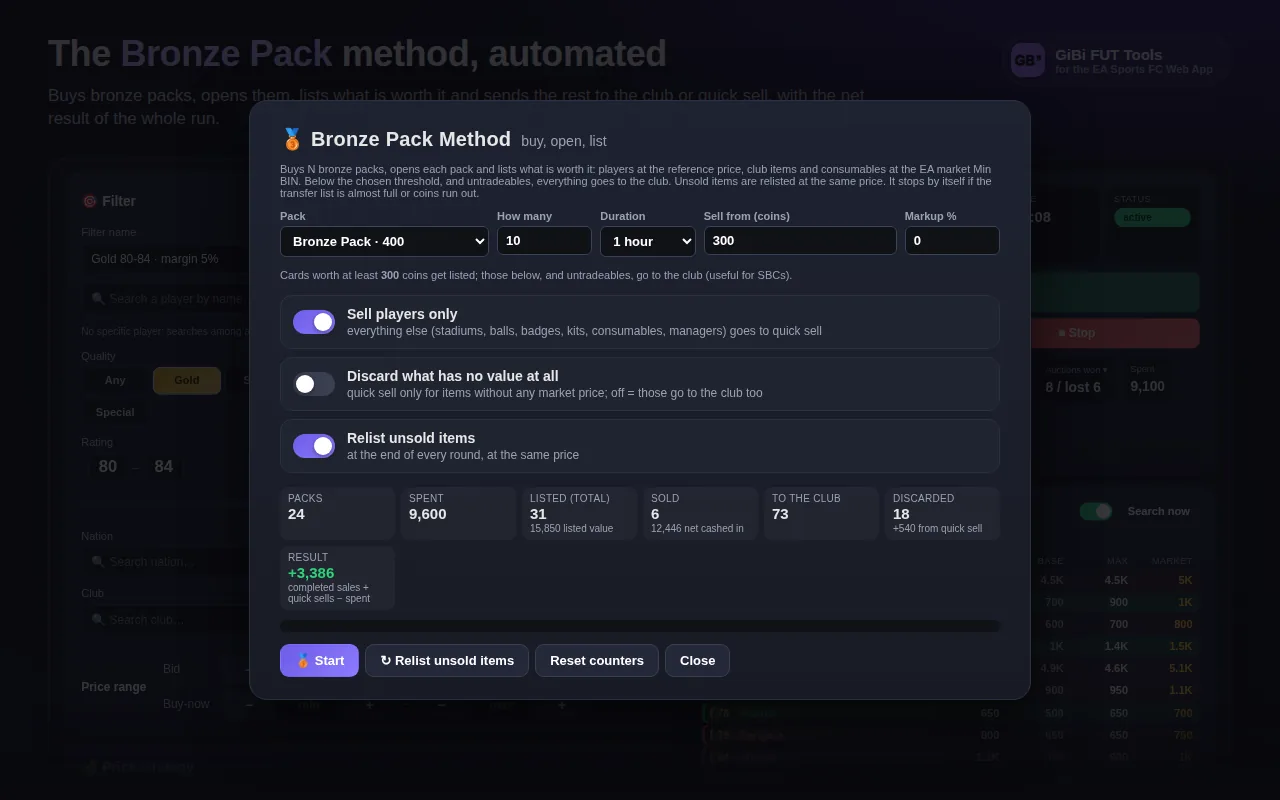
Bronze Pack Method
Buys, opens and lists what is worth it; the rest goes to the club.
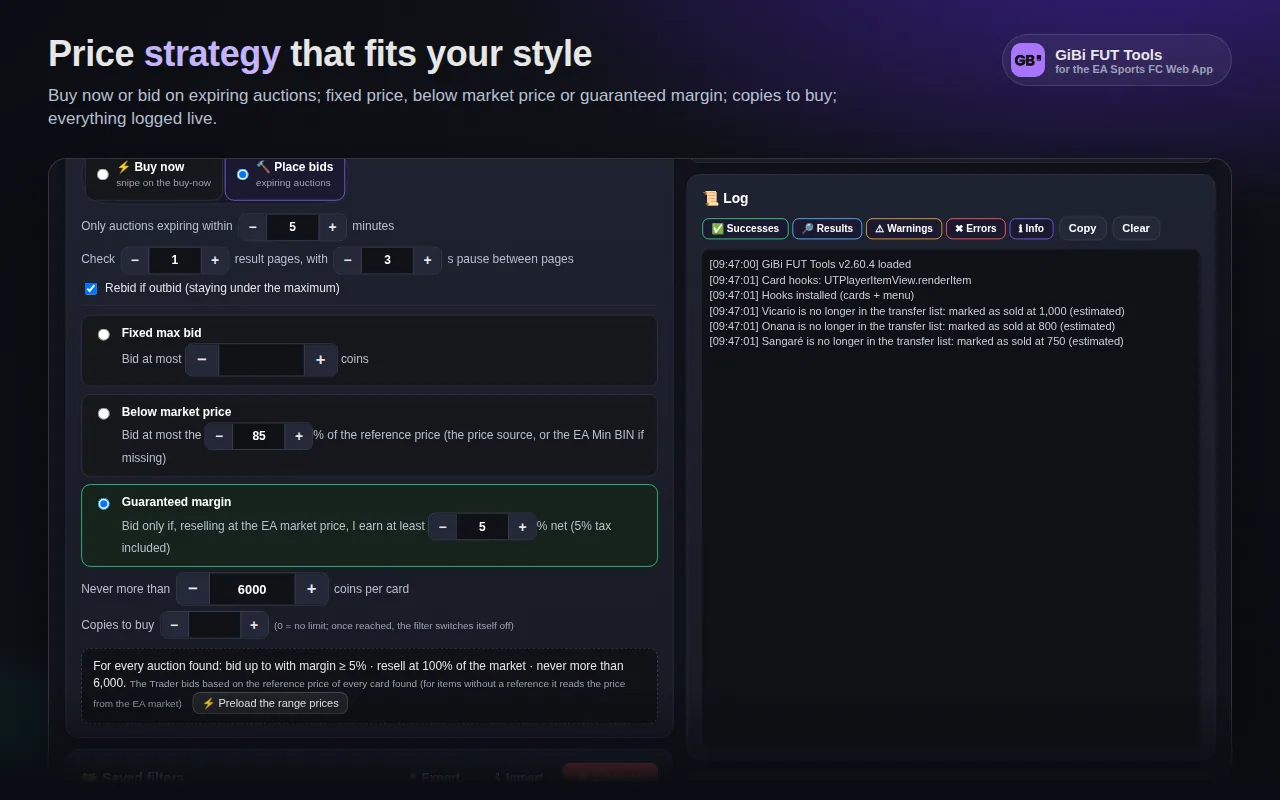
Speed
Search and pause presets that behave like a person, with risk bars.
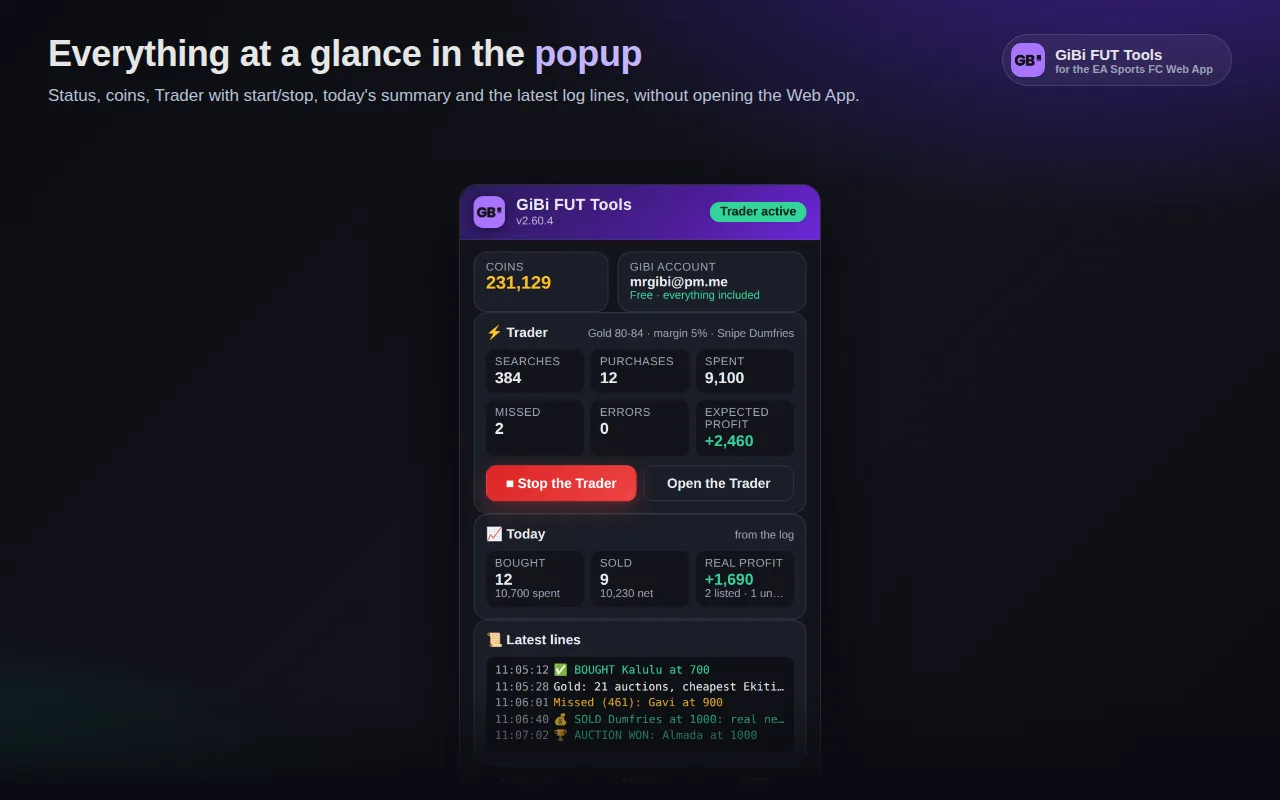
The popup
Status, coins, Trader and the day’s recap from the Chrome toolbar.
How to start
Three steps and you are in.
- 01
Install the extension
From the Chrome Web Store: one click on Add to Chrome, and updates arrive by themselves.
- 02
Create the account and copy the code
Create the free account on gibifut.com and copy the activation code from your profile. Open the EA Sports FC Web App: the extension only asks for that code.
- 03
Find everything in the menu
Trader, Analysis, Album and GiBi in the side menu; prices appear on cards by themselves.
Guides and tutorials
Step by step, from the first install to the market forecast.
Installation and first sign-in
Create the account on gibifut.com, copy the activation code, install the extension and paste it in the Web App.
Read the guideYour first Trader filter
Build a filter, pick the price strategy and the resale, save it and start it.
Read the guideSpeed without risks
Pick the search and pause rhythm, the session limits, and understand the safety stops.
Read the guideScout and Forecast
Find flips with the market analysis and the signals from the hourly history, then send them to the Trader in one click.
Read the guideAlbum and FUT Gallery
Read the collection, plan the grades in Economy or Experience, compute the best lineup and snipe the missing cards.
Read the guideSBCs and token challenges
Complete squads with your cards, buy the concept players from the Trader and submit token challenges in batches.
Read the guideFrequently asked questions
What is GiBi FUT Tools?
A Chrome and Edge extension (Manifest V3) that works inside the EA Sports FC 27 Ultimate Team Web App: prices on every card, a Trader with snipes and bids, market analysis and forecast, SBCs, Album and quick selling. No external programs, no sites to keep open: log in to the Web App and everything is in the side menu.
Do I need an account?
Yes, a free GiBi account, created here on gibifut.com (email and password, active at once with no confirmation). The extension, though, does not ask for email and password: it only asks for the activation code GIBI-XXXX-XXXX-XXXX you find in your profile. The code is bound to one EA account through an anonymous fingerprint of the EA persona.
Which browsers does it work on?
Chrome and Edge from version 111 (needed for content scripts in the page’s “MAIN world”). Other Chromium browsers (Brave, Opera, Vivaldi) usually work but are not tested. Firefox and Safari do not.
Does it work in the Companion App on a phone?
No. The extension only runs in the EA Sports FC Ultimate Team Web App opened in a browser on PC or Mac (https://www.ea.com/…/ultimate-team/web-app/). It reads no other page.
Where do the prices come from?
Two sources. The reference price, refreshed every few minutes for every card on your platform, is the one on the chips and used by the Trader, the Sell box, the Analysis and the Forecast. The EA Min BIN is the lowest buy-now measured with targeted searches on the EA market: it is used for consumables, club items and cards without a reference, and you can request it in one click with the Min BIN button. Every measure goes into the shared archive and reaches the other users too.
Use it with care
Automating the market violates EA’s Terms of Service. GiBi FUT Tools is provided for educational purposes: pick slow rhythms, short sessions, spending limits, and never leave it running unattended.
Ready to open the Web App?
Install GiBi FUT Tools, create the free account and open the Trader.